Skip to content
AASC

A tour of AASC

Ten real screens from the desktop app and the phone app, with demo sessions in place of real projects. The screens follow the light or dark switch in the header.

On your computer

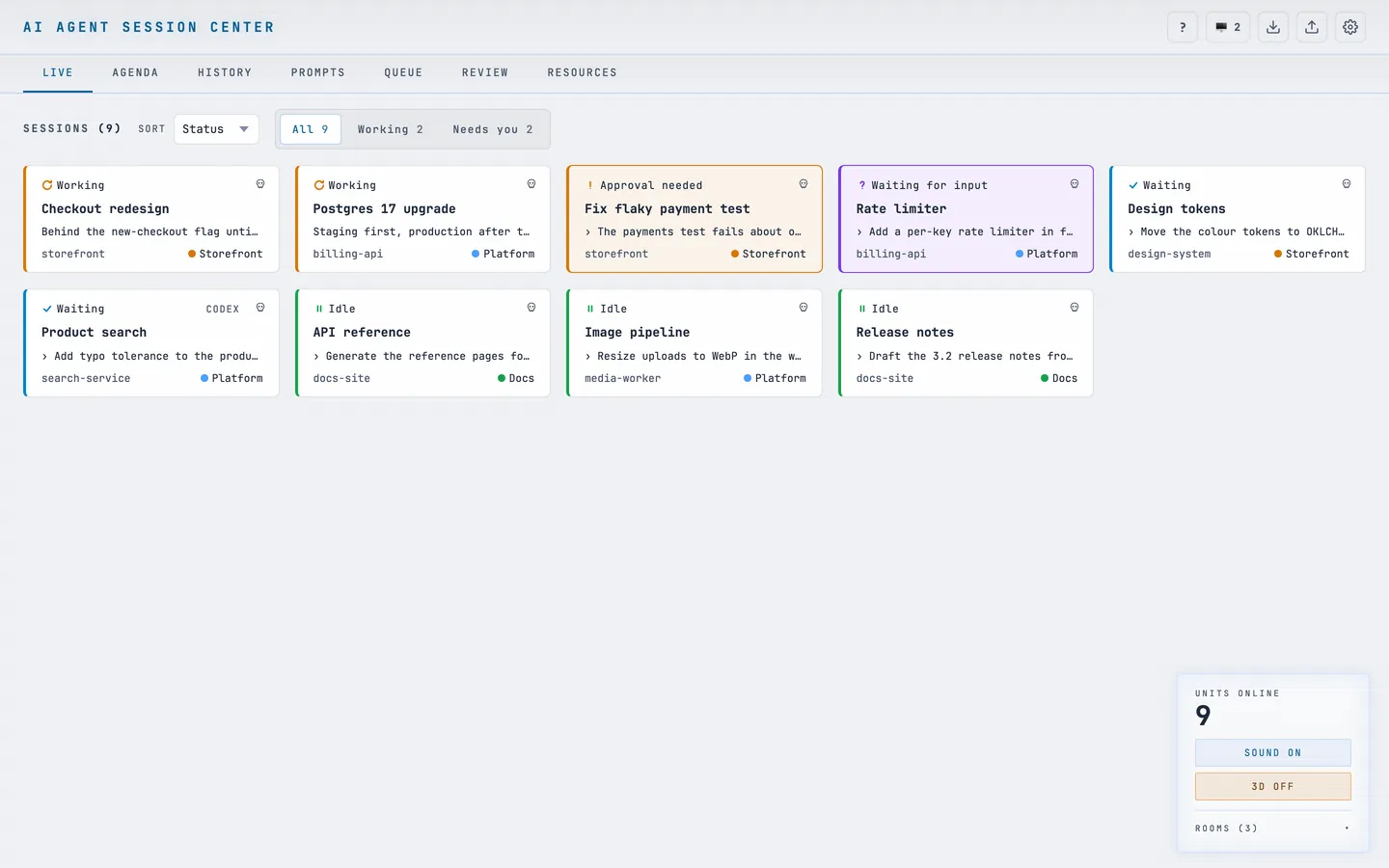
  1. 01The boardEvery session as a card, with its status, title, last prompt and room. A sound plays only when one needs you or finishes a turn.
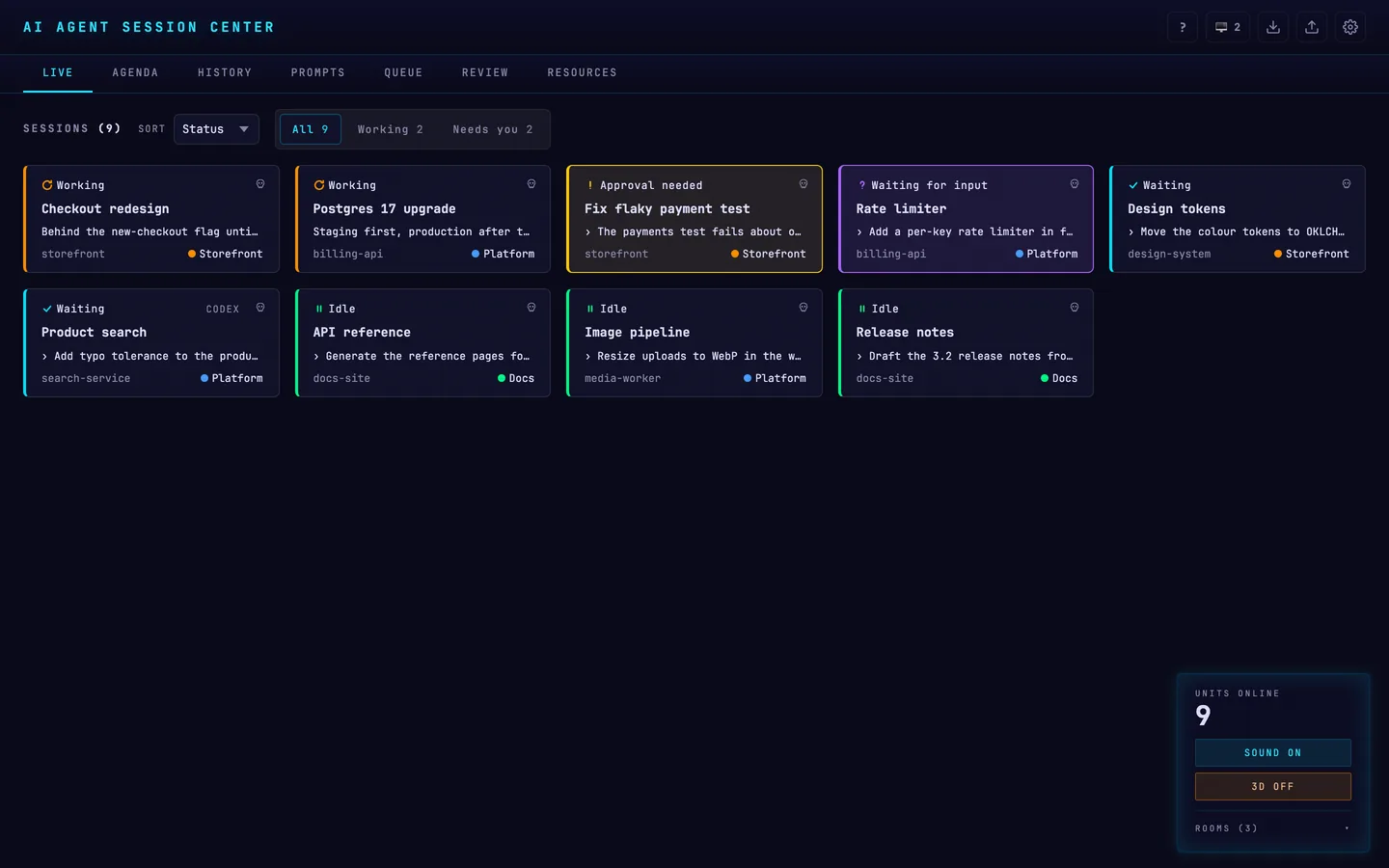
    The LIVE board: nine sessions across three projects, each card showing its status, title, last prompt and room.The LIVE board: nine sessions across three projects, each card showing its status, title, last prompt and room.
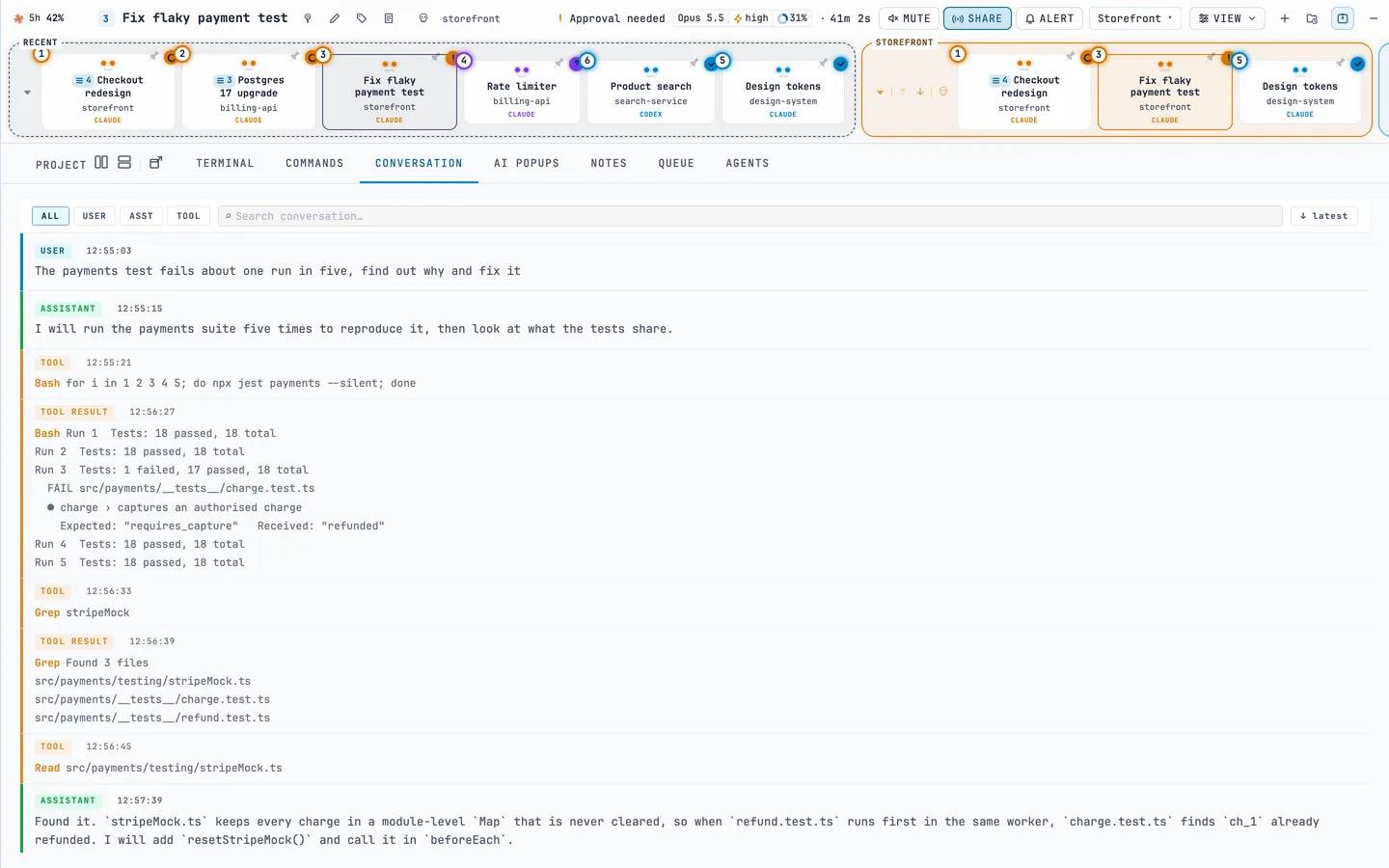
  2. 02A session’s conversationRebuilt from the transcript and searchable, with the model, effort and context use in the header.
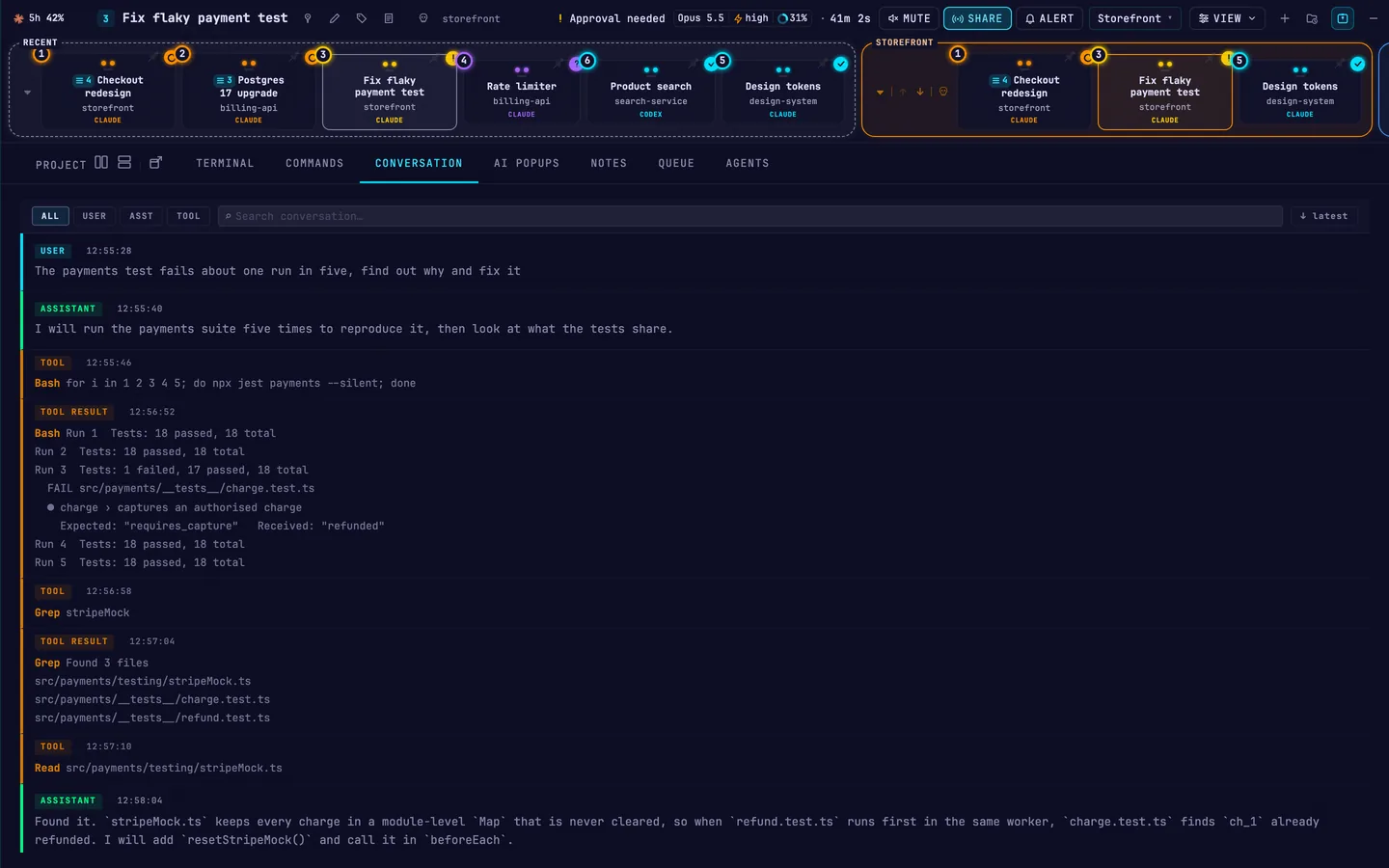
    A session open in AASC: the conversation so far, with the model, effort and context usage in the header.A session open in AASC: the conversation so far, with the model, effort and context usage in the header.
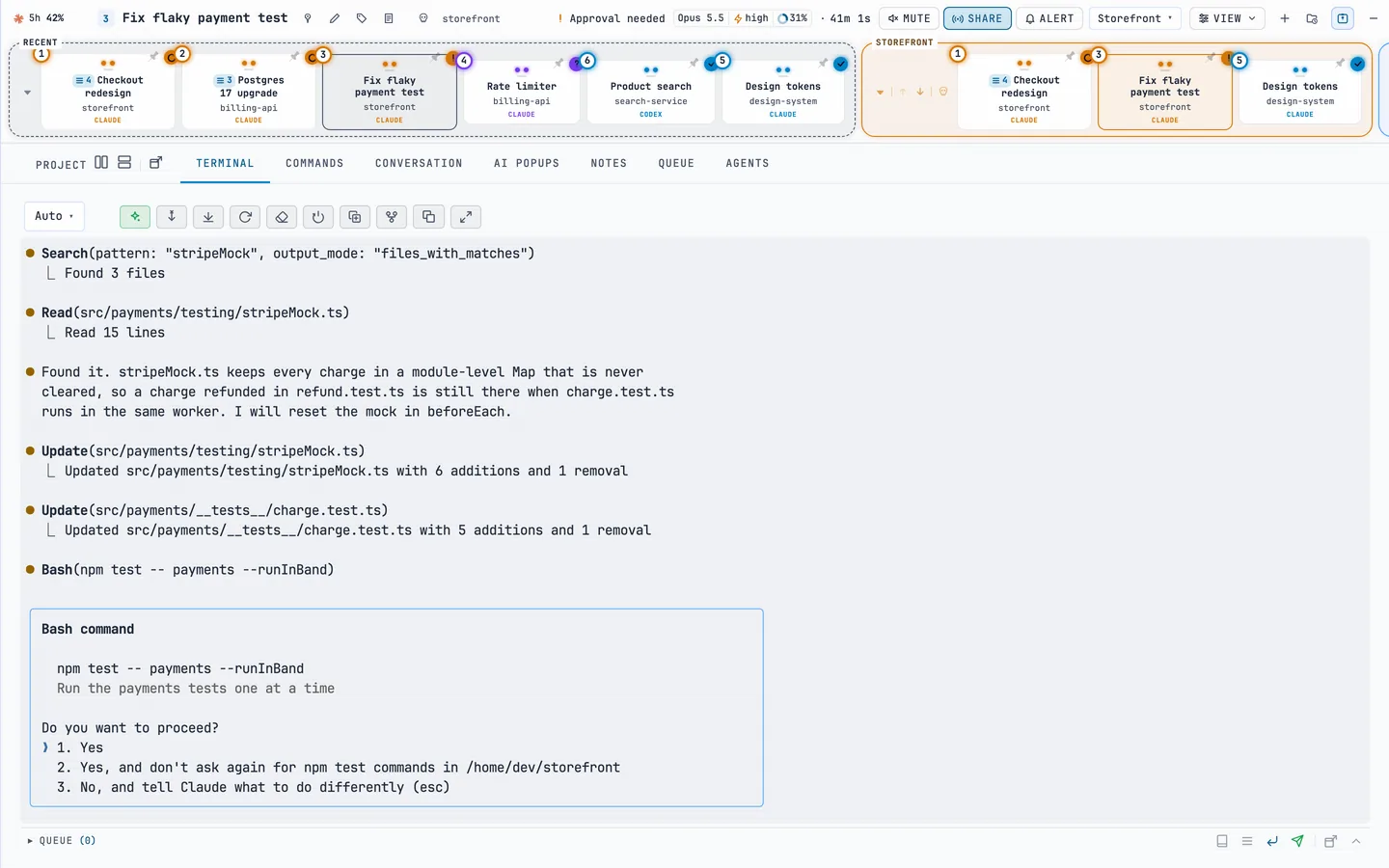
  3. 03Its terminalThe session’s real terminal, shared by every screen. Here Claude Code asks to run the payments tests.
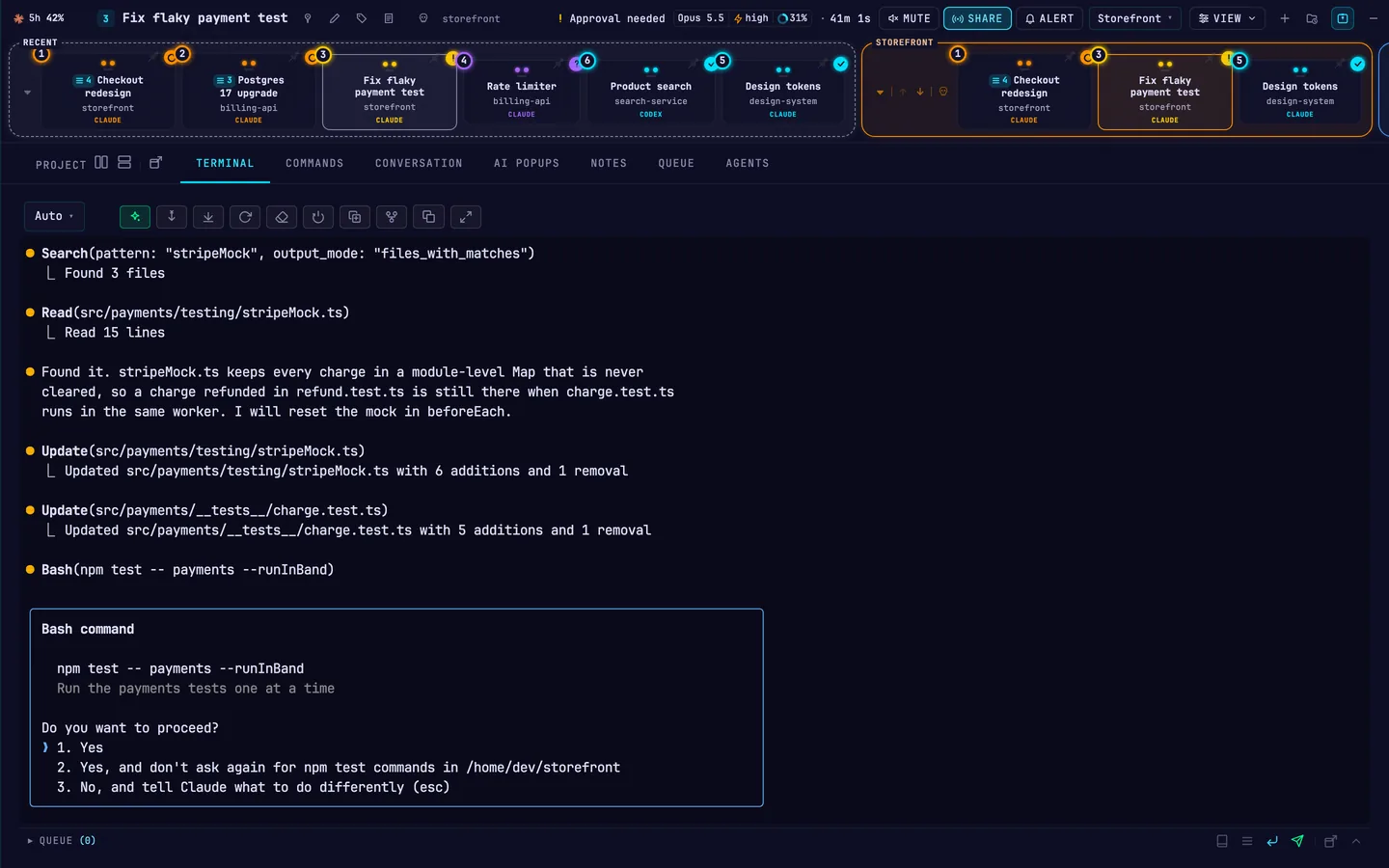
    A session’s live terminal in AASC, with Claude Code asking to run npm test.A session’s live terminal in AASC, with Claude Code asking to run npm test.
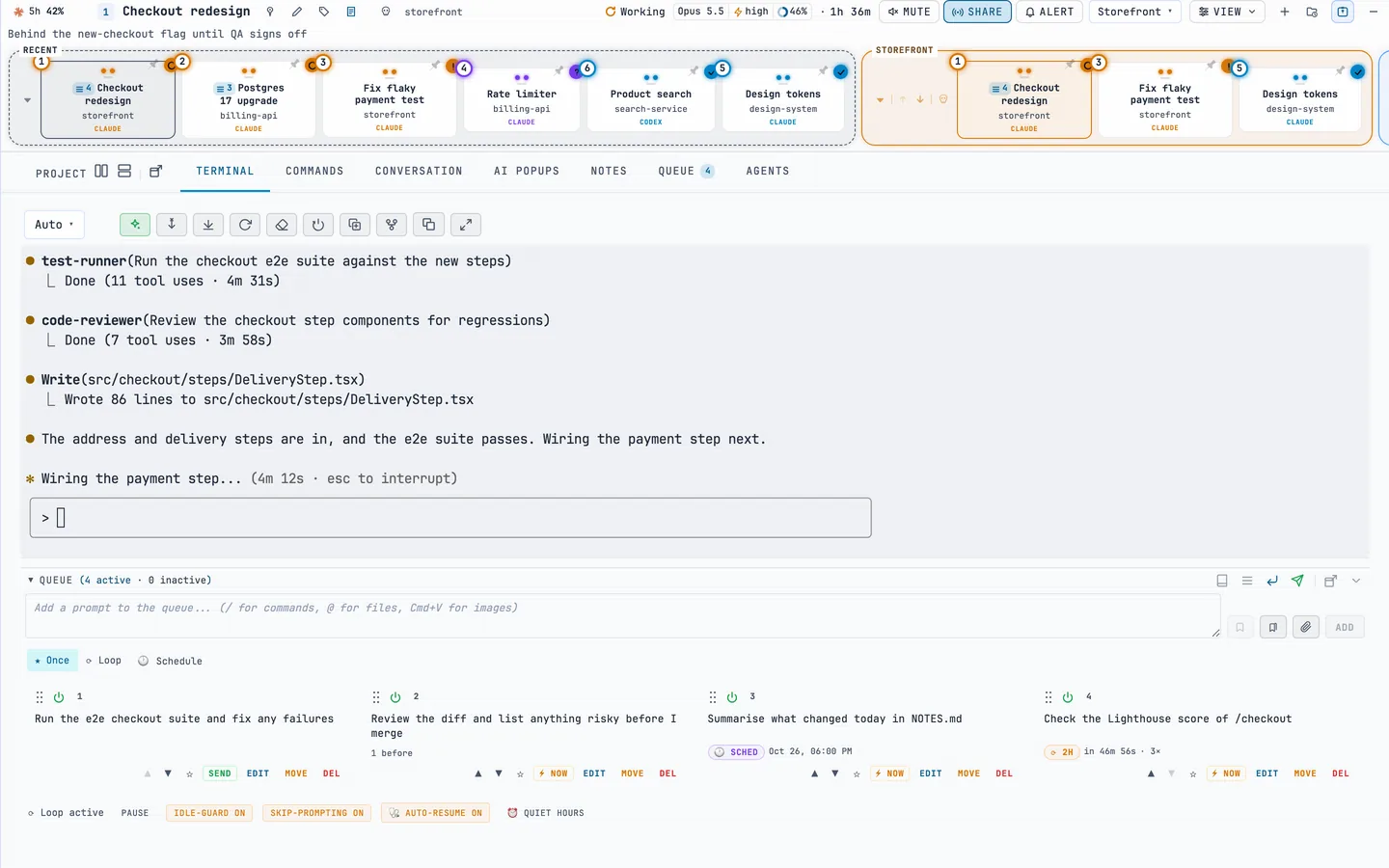
  4. 04The prompt queuePrompts wait under the terminal and go out when the session is idle: once, as a chain, at a set time or on a loop.
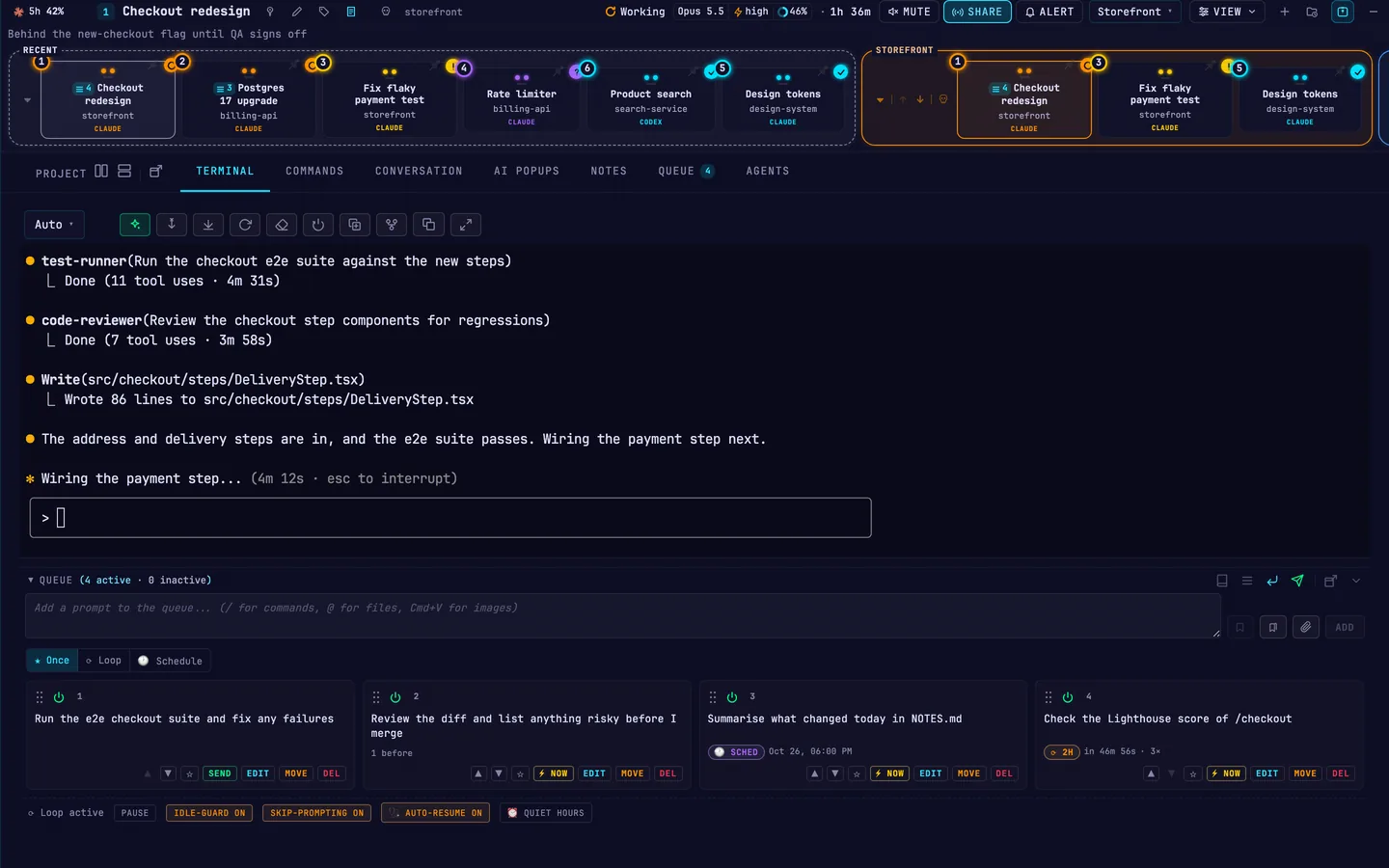
    A session’s terminal with its prompt queue below: a one-off prompt, a chained review, a scheduled prompt and one that repeats every two hours.A session’s terminal with its prompt queue below: a one-off prompt, a chained review, a scheduled prompt and one that repeats every two hours.
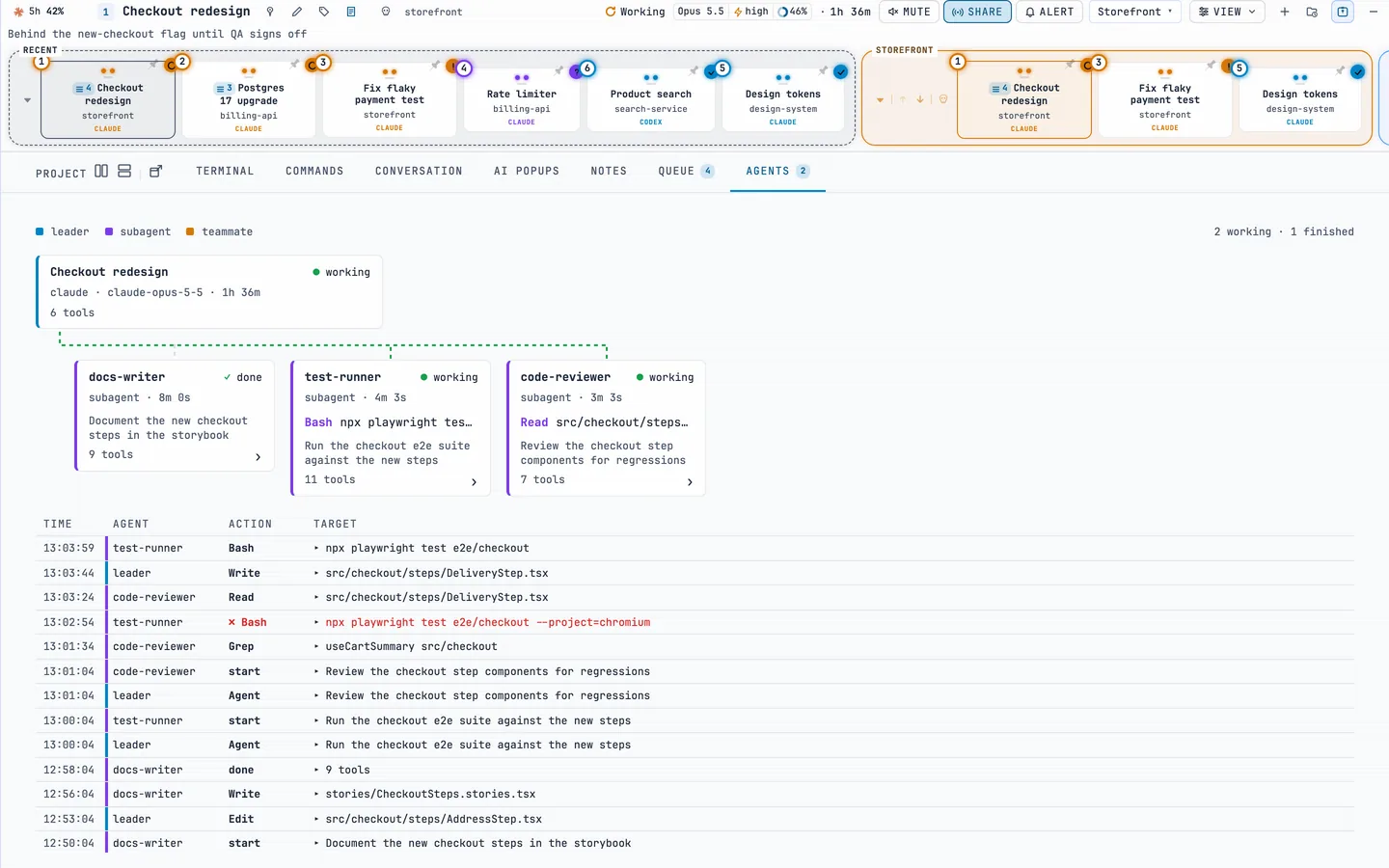
  5. 05SubagentsThe AGENTS tab draws which agent started which, and logs every tool call they make.
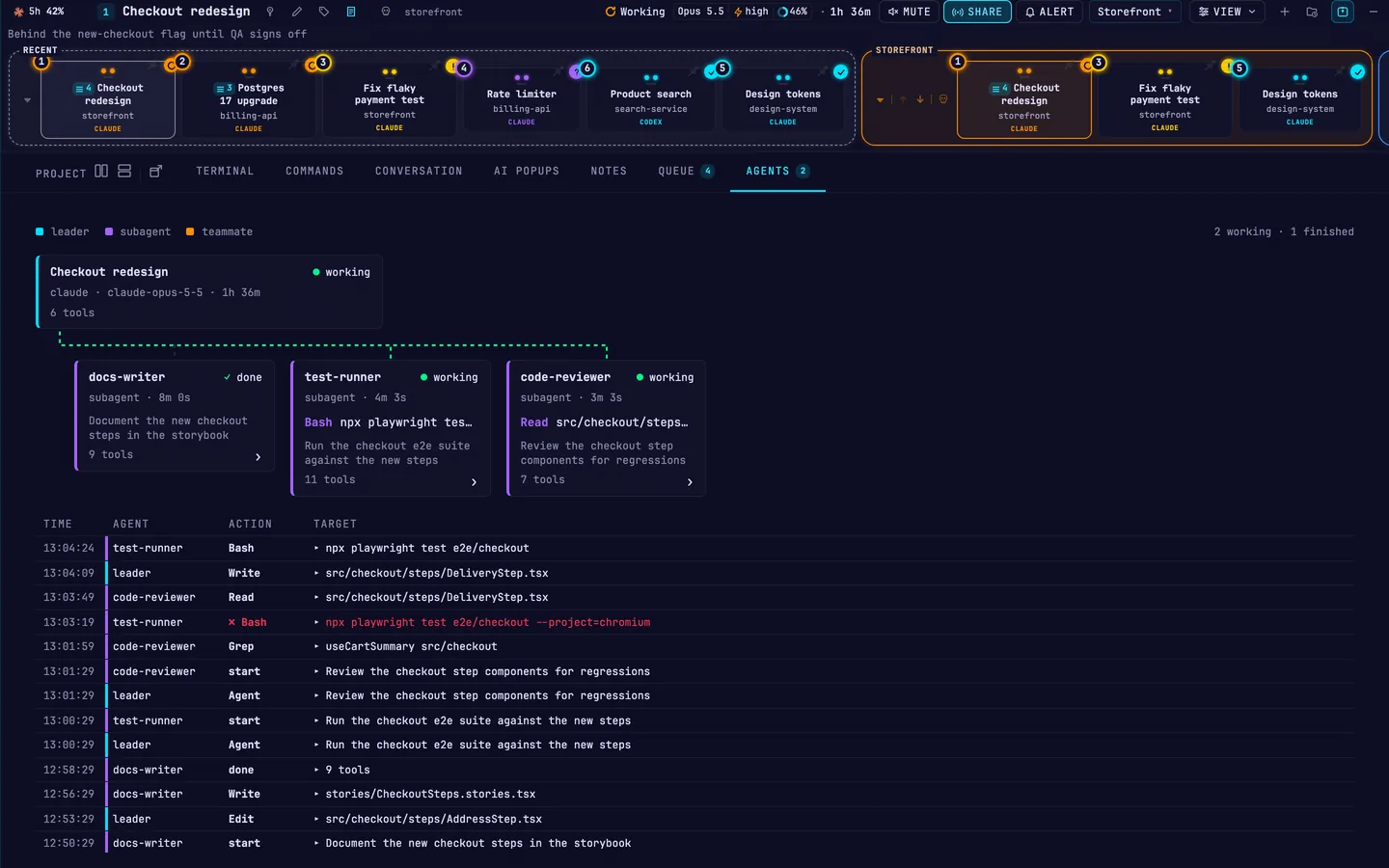
    The AGENTS tab: a lead session with three subagents and a log of their tool calls.The AGENTS tab: a lead session with three subagents and a log of their tool calls.
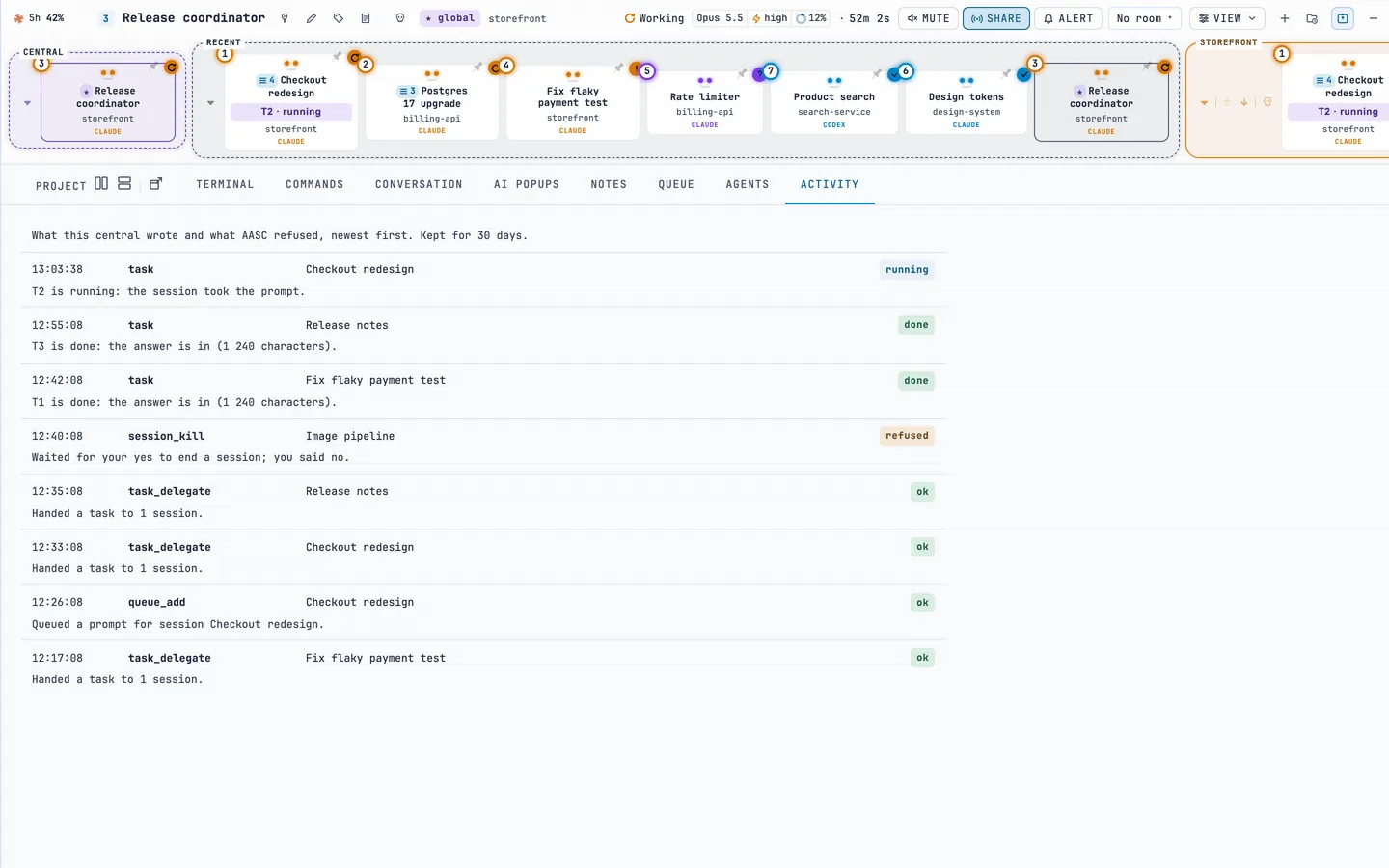
  6. 06A central sessionA global central has handed three tasks to other sessions. When it asked to end one, AASC waited for a yes, and the answer was no.
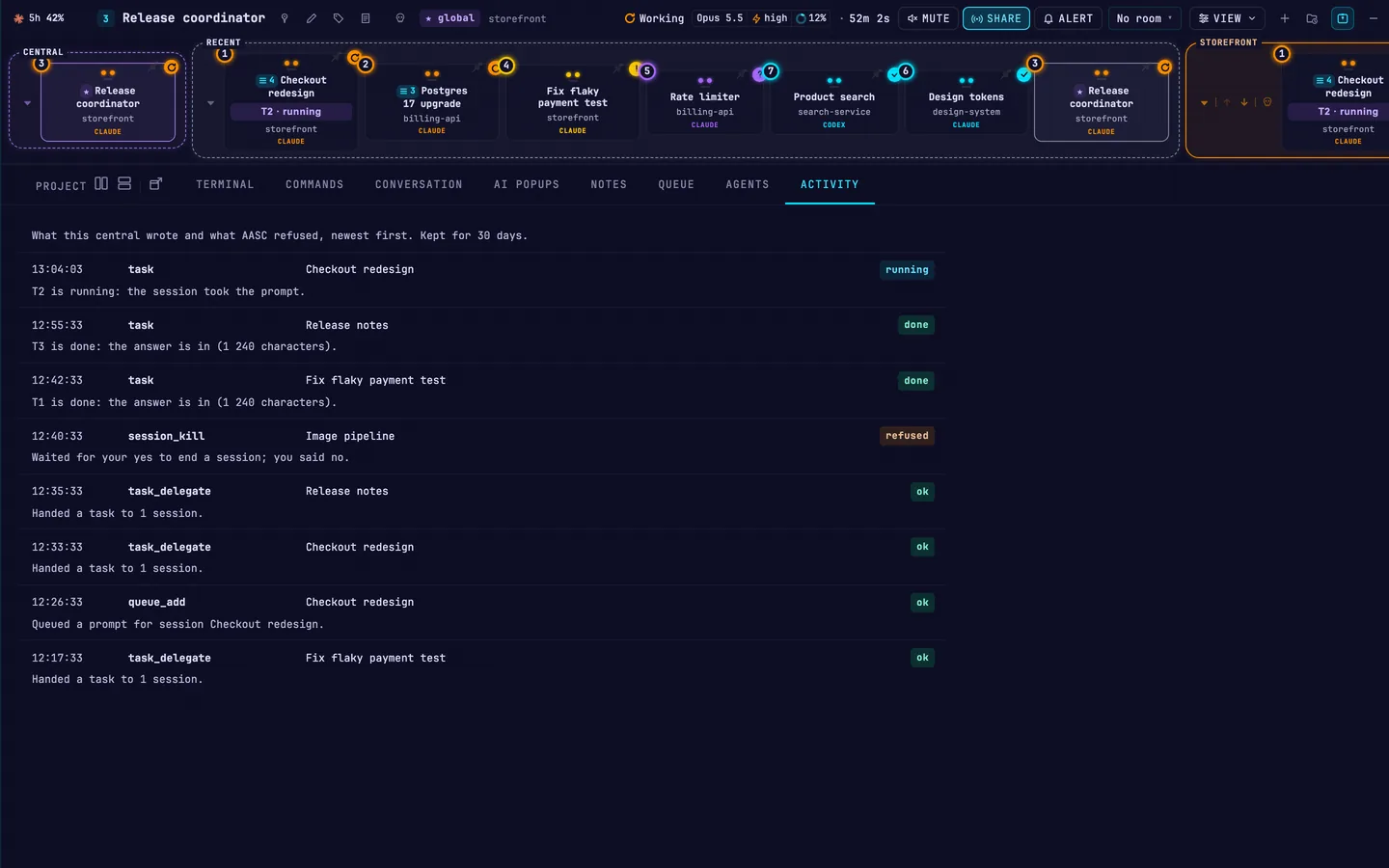
    A global central session on its ACTIVITY tab: the tasks it handed to three sessions, and a session kill that waited for a yes and was refused.A global central session on its ACTIVITY tab: the tasks it handed to three sessions, and a session kill that waited for a yes and was refused.

On your phone

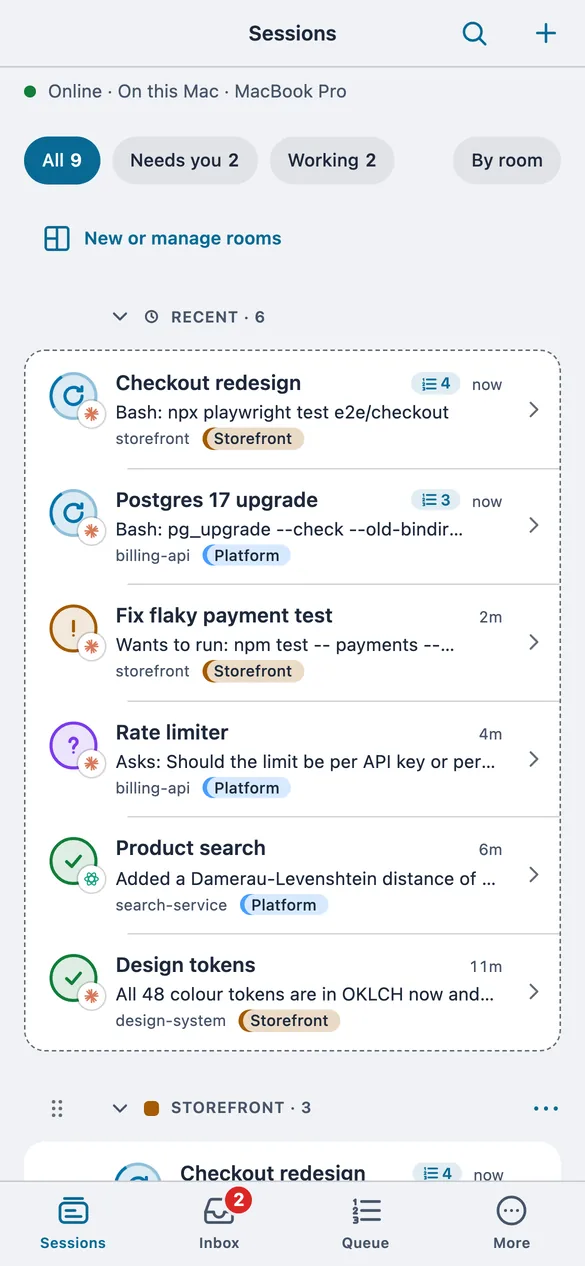
  1. 07Your sessionsGrouped like the desktop, with the ones that need you at the top.
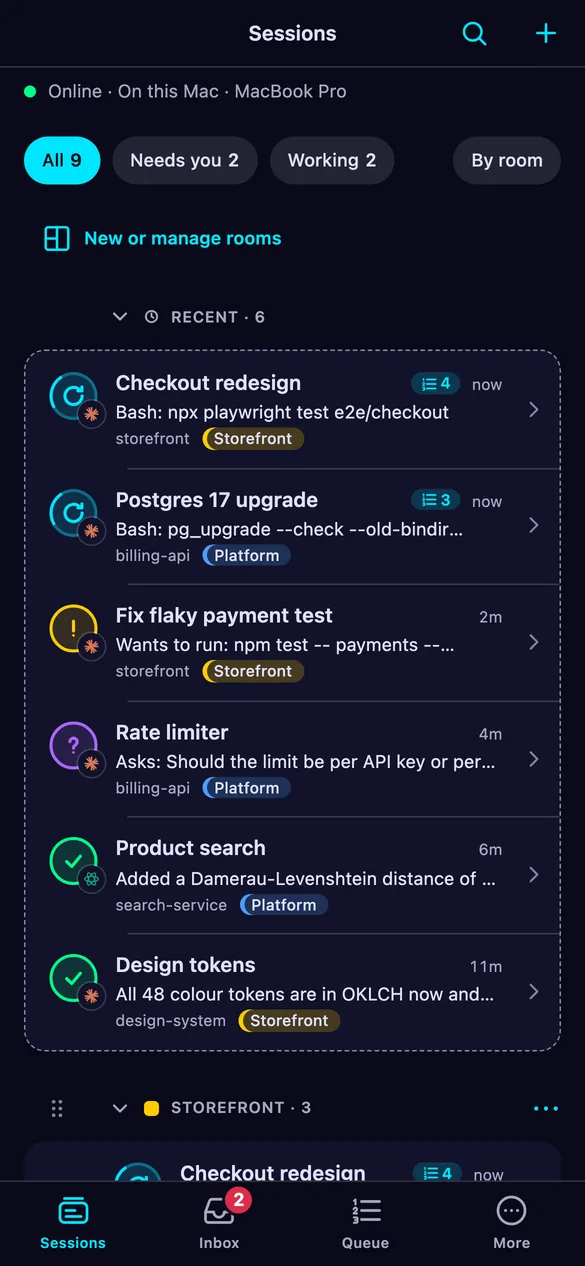
    The phone app listing sessions, with the ones waiting for an approval or an answer at the top.The phone app listing sessions, with the ones waiting for an approval or an answer at the top.
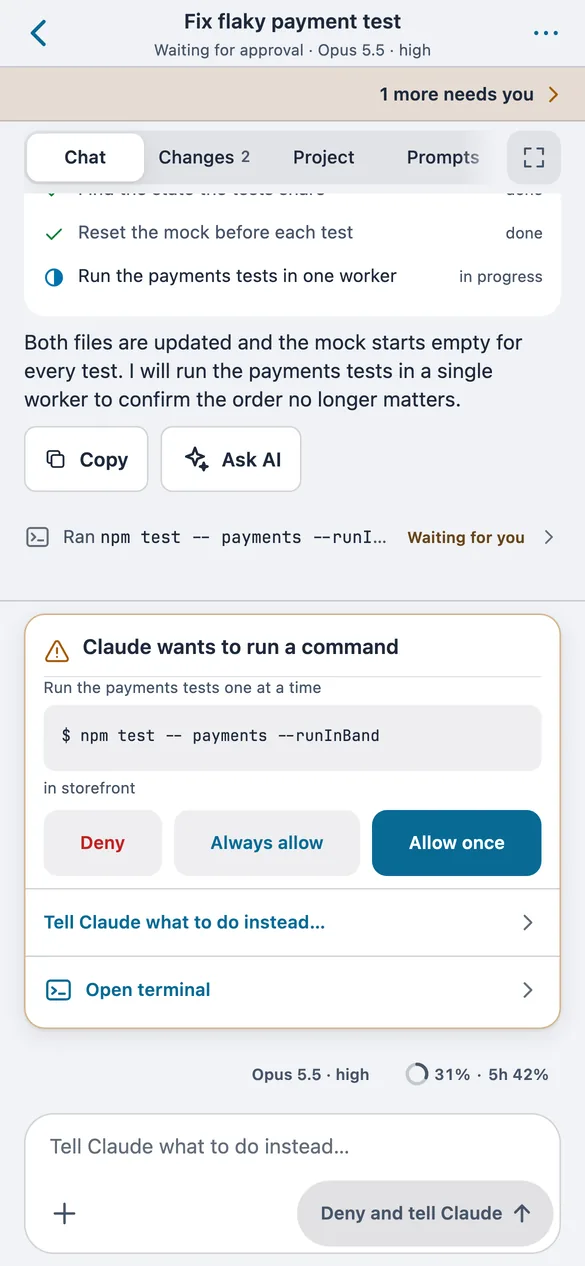
  2. 08Answer an approvalAllow once, always allow, or deny and tell Claude what to do instead.
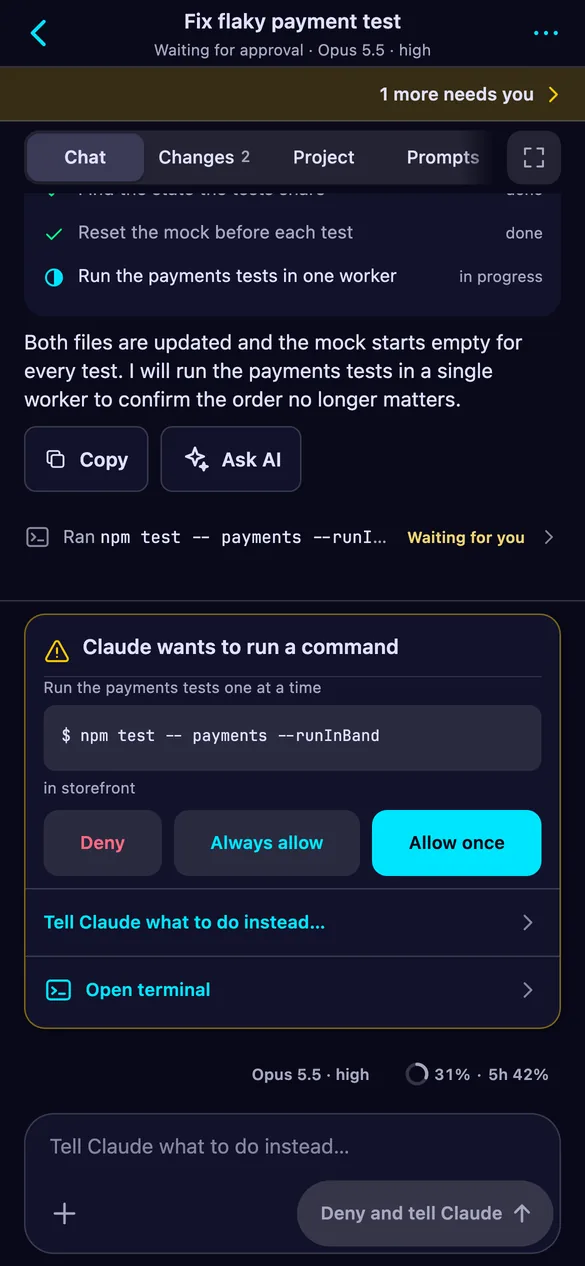
    A session chat on the phone with a card asking to allow the command npm test.A session chat on the phone with a card asking to allow the command npm test.
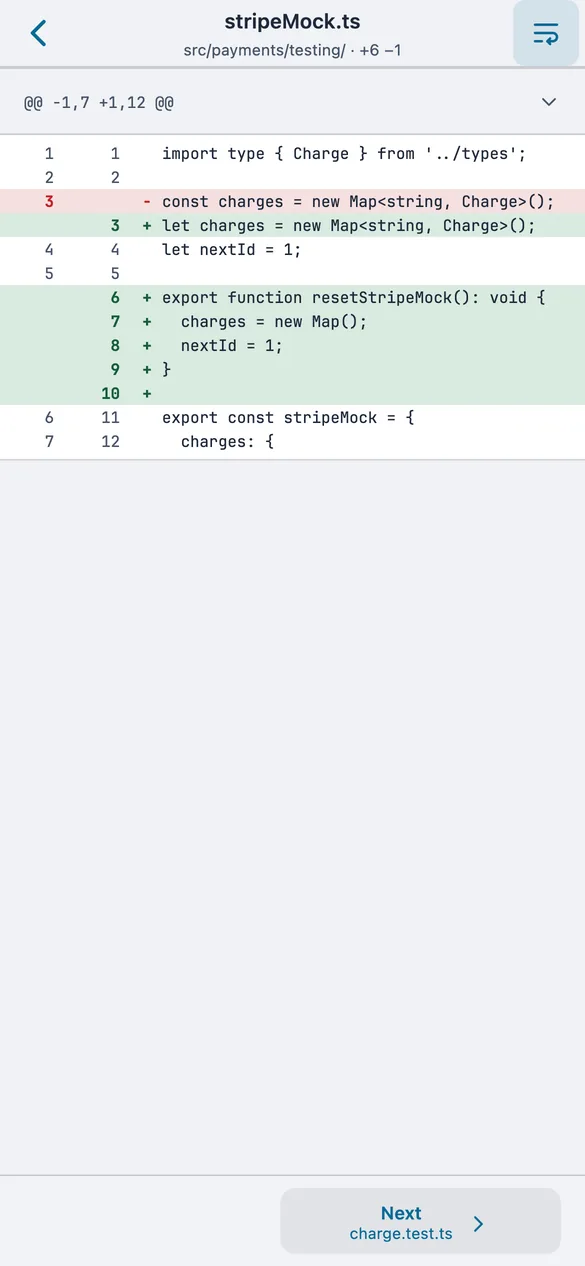
  3. 09What changedEvery file a session edited, down to the diff.
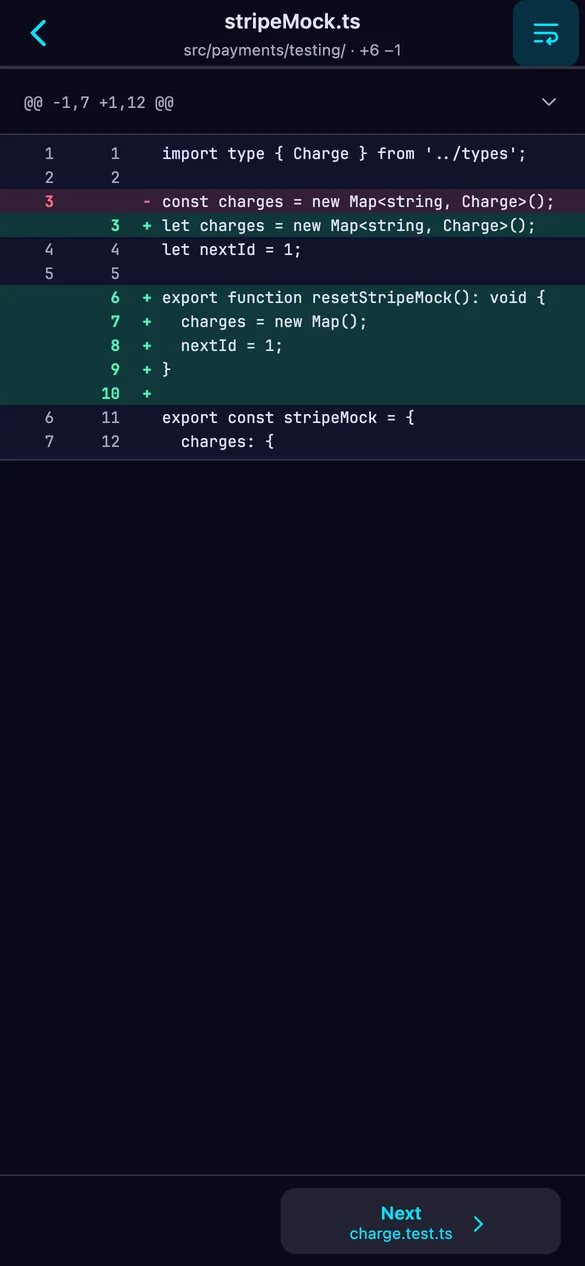
    The files a session changed, shown on the phone with their diffs.The files a session changed, shown on the phone with their diffs.
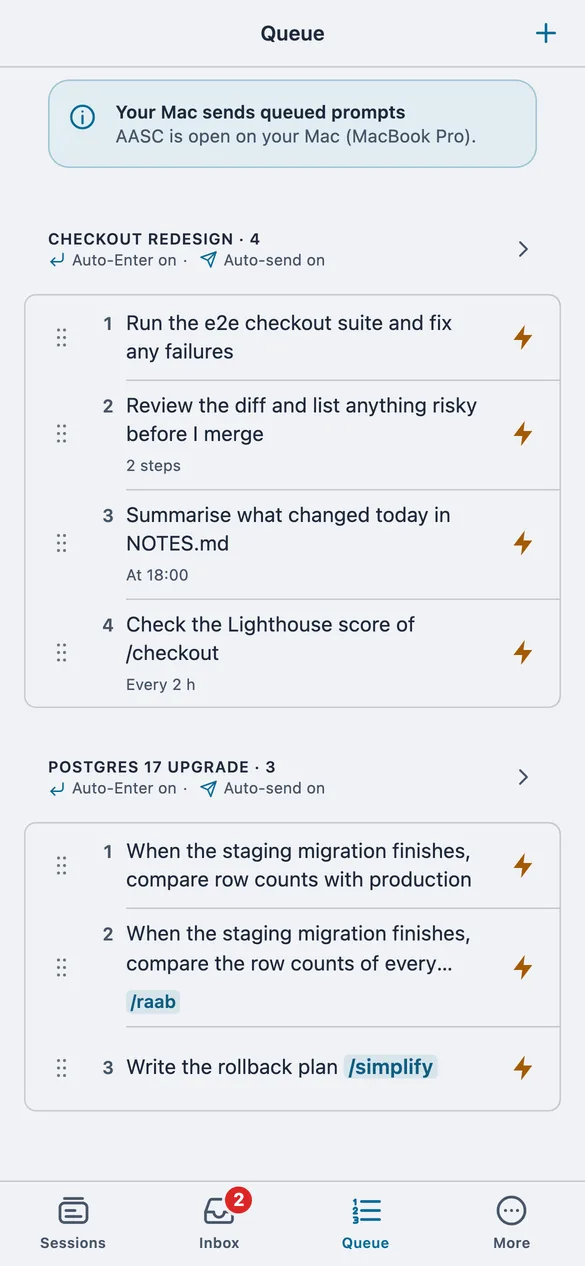
  4. 10The same queueThe prompt queue from your desktop: reorder it, edit a prompt or send one now.
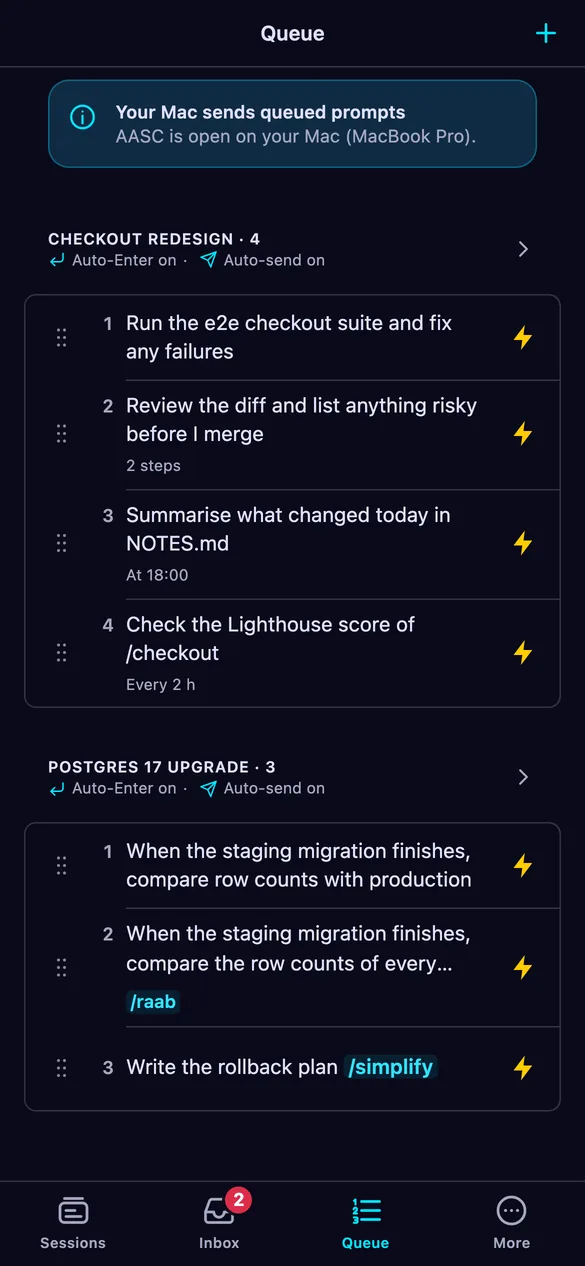
    The shared prompt queue on the phone.The shared prompt queue on the phone.